This page brings together answers to common questions about the use of XJTLU Academic Conference Information Publishing System. It is designed to support conference organisers, School/Academy POCs and other users in navigating key functions and processes.
Note: The FAQ will be updated regularly to reflect system developments and newly common questions.
1. How to enable organiser permissions in the correct School/Academy category?
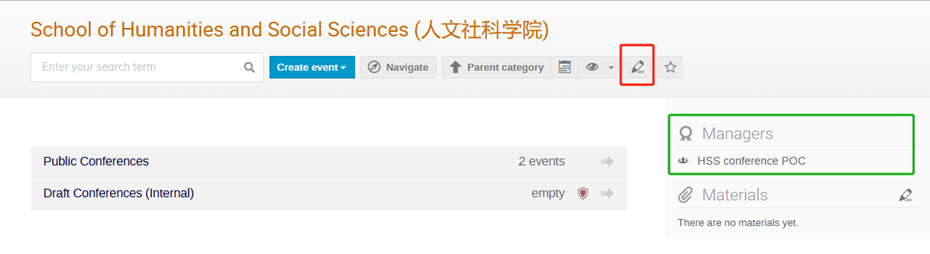
Step 1: Go to your School/Academy category and click Edit (top-right).
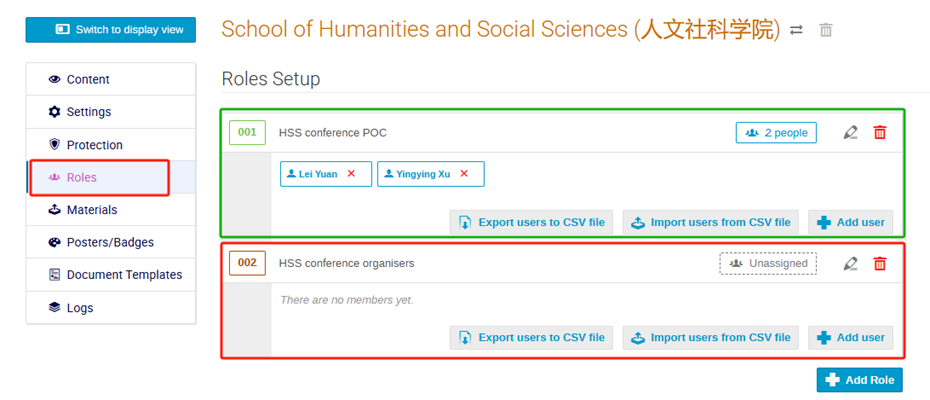
Step 2: In the Roles tab, locate the Conference Organisers role group. Click Add users, search and add the organiser’s account to this group.
2. How to move a conference to the Public Conferences folder?
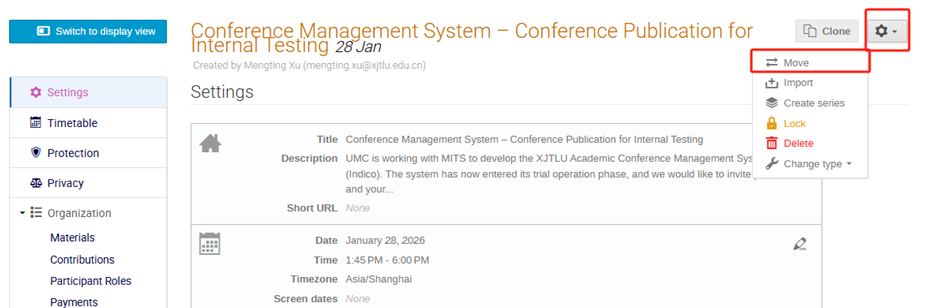
Step 1: Locate the target conference and open it. Click Manage (top of the page) to enter the conference management area.
Step 2: Click Settings (top-right) and select Move.
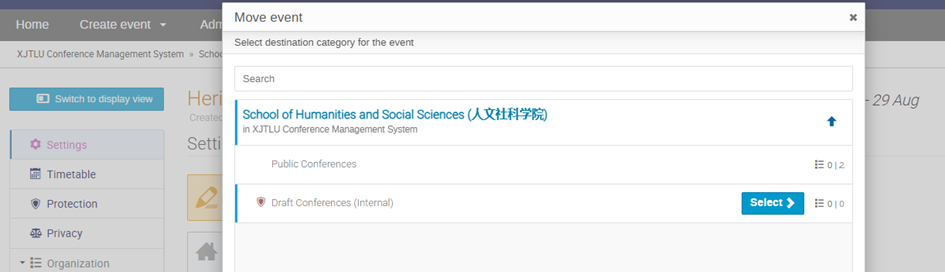
Step 3: In the pop-up window, select Public Conferences folder under your School/Academy category as the destination folder, then confirm to complete the move.
3. How to set up editing access for an individual conference?
Step 1: Locate the target conference and open it. Click Manage (top of the page) to enter the conference management area.
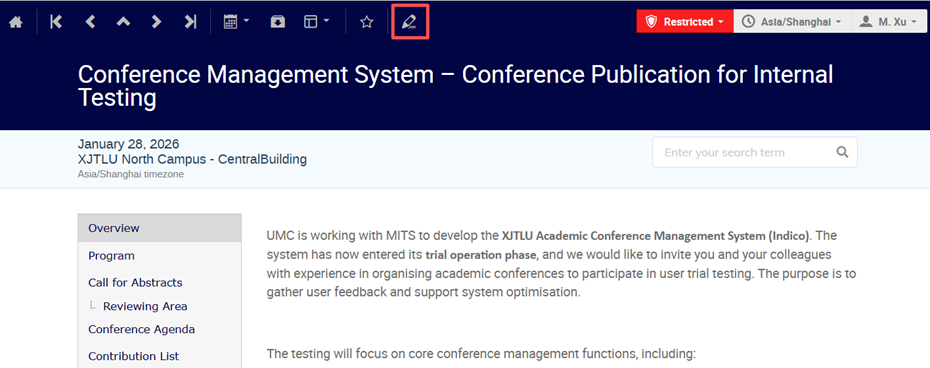
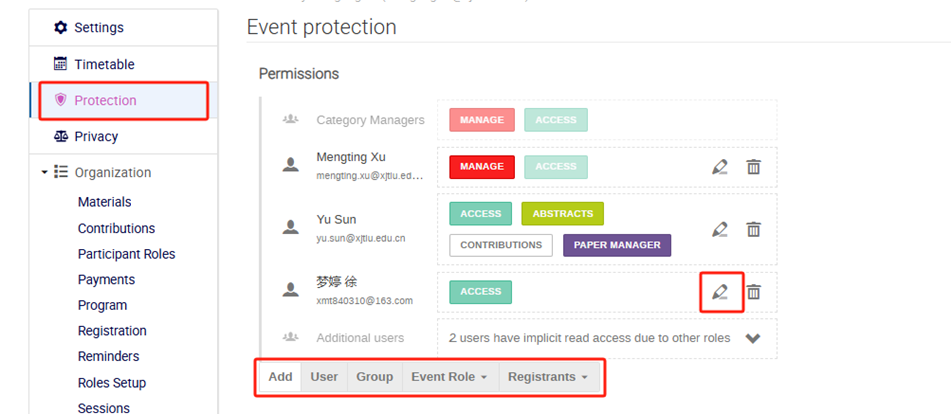
Step 2: Go to Protection. Under the Permissions section at the top, add the colleague to the conference access list.
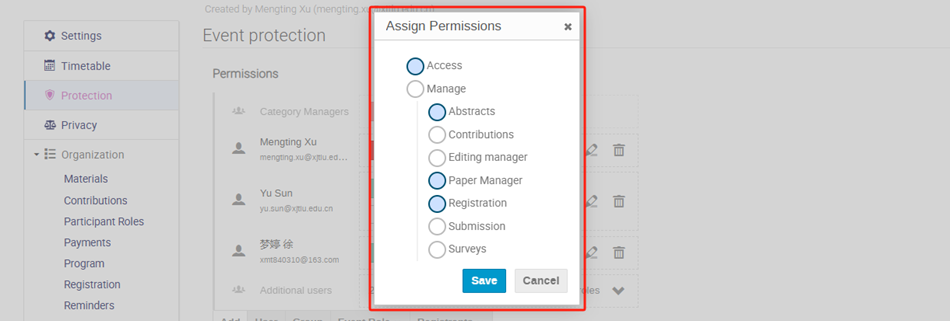
Step 3: After adding the user, assign the appropriate permissions within the conference as needed (e.g., Abstracts, Papers, Editing/Management roles).
4. Can conference organisers from outside XJTLU be added as co-editors of a conference?
Yes. Where collaboration is needed, external conference organisers may be added as co-editors for an individual conference by the conference organiser. The external user must first register in the system before editing access can be granted. This access is limited to the specific conference only and does not grant wider system access. For the detailed setup process, please refer to: 3. How to set up editing access for an individual conference?